How to add exact ad copy to an AI product image
Keep the generated product visual, then compose approved wording as readable type. Export a real PNG with its copy and layout record in Cut Marketing.
An image ad often needs two distinct jobs: a convincing product visual and exact, readable wording. Cut Marketing handles them separately. Generate and inspect the visual, approve the treatment’s copy, then use Compose image ad to draw that wording into a PNG.
This matters when a headline must match the version you reviewed. During our own product-flow testing, asking a generator to draw advertising wording inside the scene produced unwanted lettering. The current visual prompt asks for media without typography; the composer adds real type afterwards.
Begin with facts you can stand behind
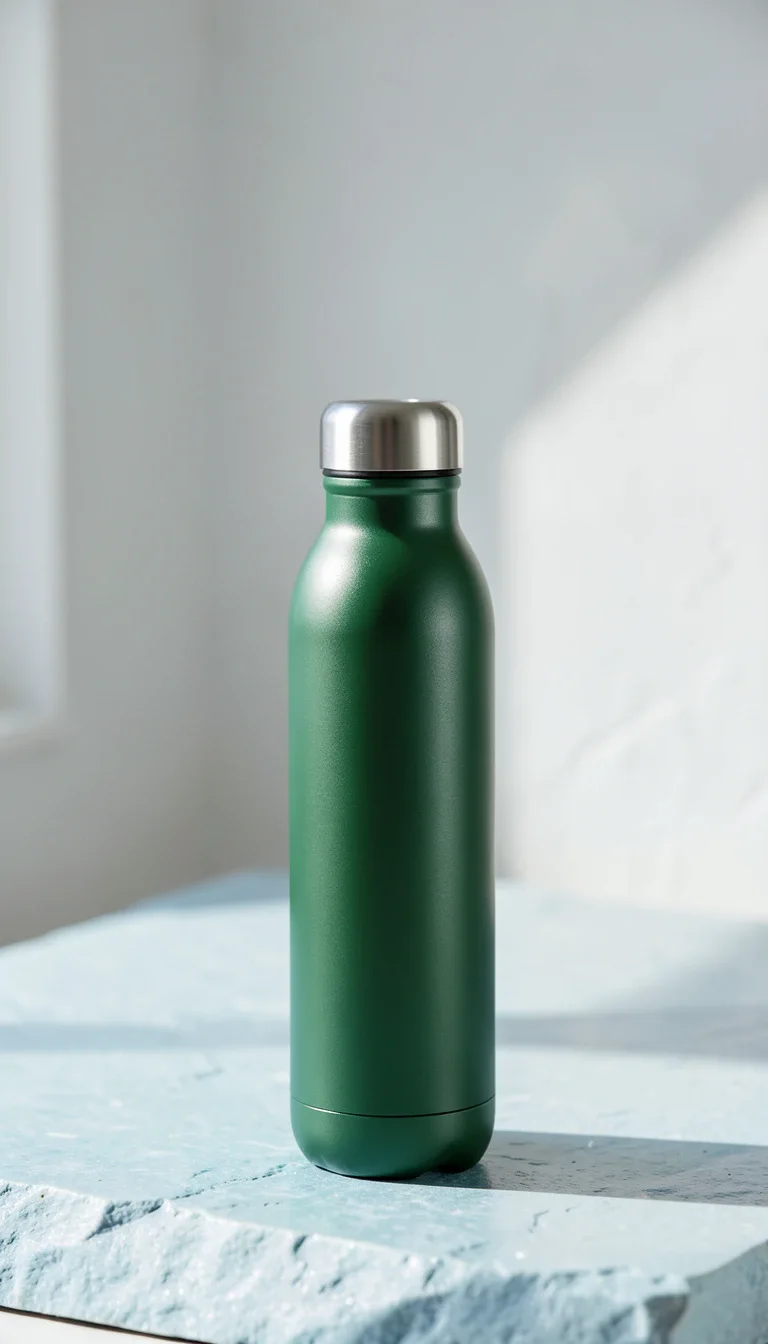
For this fictional bottle example, the supplied facts are simple: a green, reusable steel bottle with a screw cap. The copy does not add a temperature-retention claim, certification, discount or customer result.
| Part | Example wording |
|---|---|
| Opening | Your bottle, up close. |
| Body | Reusable green steel bottle with a screw cap. |
| Call to action | See product details |
The visual below is an actual Pickshot Indigo render composed using Cut Marketing’s browser renderer. The bottle is fictional.
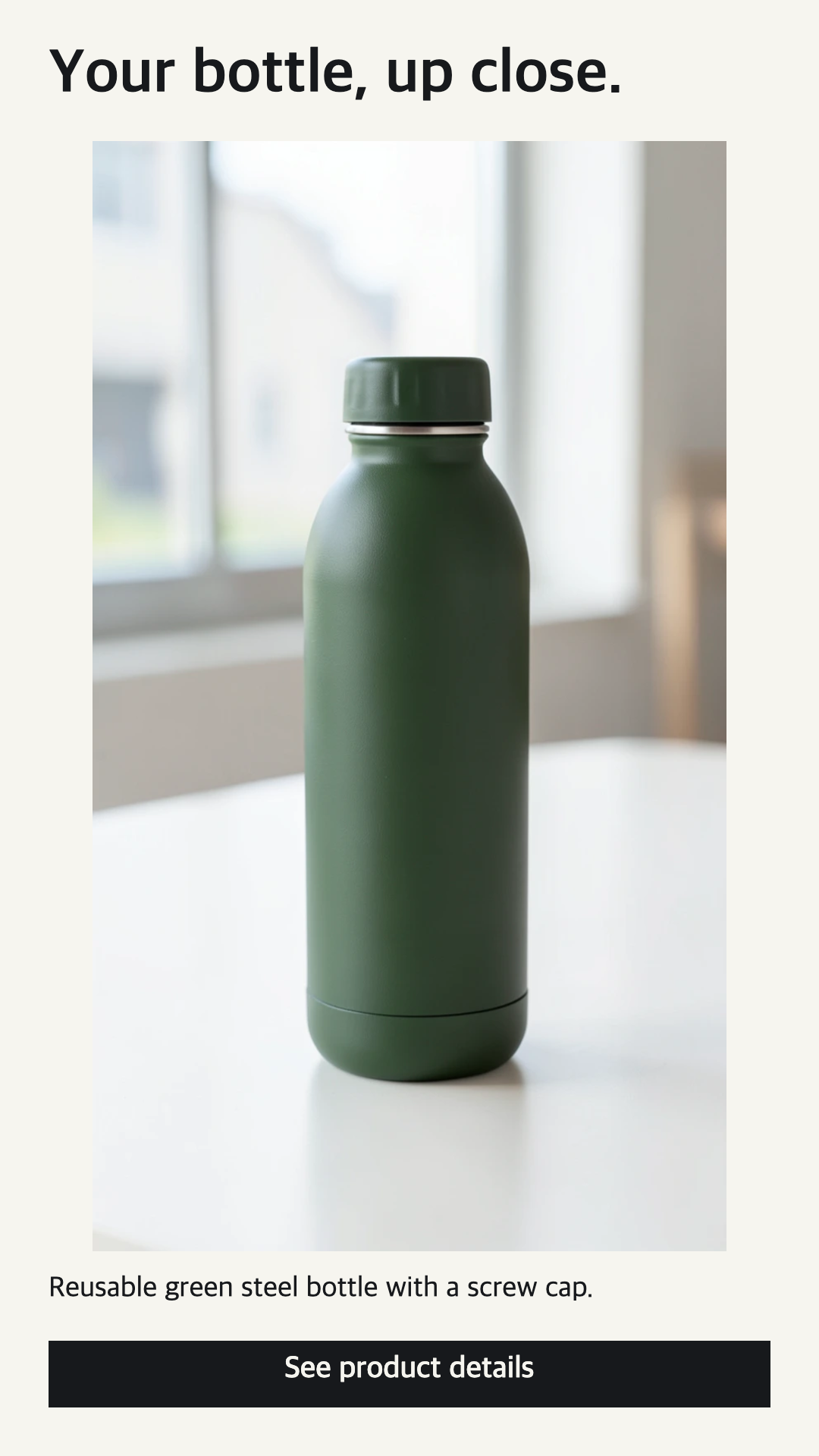
Open the full-size 1080 × 1920 example.
Review the image and wording together
Create a product brief, choose a hook, visual or CTA experiment and inspect its drafts. Optional suggestions use the saved brief; they remain editable. If suggestions are unavailable, starter drafts remain available.
Generate the visual you intend to use. Inspect product shape, packaging, hands, unintended text and any scene that implies an unsupported claim. Read the treatment’s script too. A successful generation is a file, not a review decision.
Approve the current treatment, then choose Compose image ad beneath its image. The screen is available for approved still-image treatments. Changing a treatment resets its approval, and the download checks the current version again.
Choose a format and how much copy to show
The composer offers these export dimensions:
| Format | PNG size |
|---|---|
| 9:16 | 1080 × 1920 |
| 4:5 | 1080 × 1350 |
| 1:1 | 1080 × 1080 |
Match the format to the placement you have selected in your ad account. A supported export size does not establish that every advertising placement accepts it.
The full source image is fitted inside the layout. A portrait source therefore occupies less width in a square canvas. The composer does not crop away the product to fill the space.
Choose a light or dark background. The opening and CTA always appear; Include body copy adds the saved body. The full script is also supplied as a separate text file, so you can keep the image concise and use the body in the ad’s text field.
If the wording cannot fit at a readable size, export stops. Choose a taller format or omit the body. To shorten the wording itself, return to the experiment, edit the treatment and review it again. The composer does not silently cut words to make them fit.
Keep the record beside the exported image
The download is a ZIP containing:
image-ad.png: the composed image shown in the preview.ad-copy.txt: the treatment’s full original script.layout.json: the included wording, format, dimensions, source version and PNG checksum.
The layout record describes what you downloaded. Layouts are not saved as new server-side creative versions, and downloading does not publish an ad. Keep the ZIP with the corresponding experiment when handing work to another person.
For a copy comparison, reuse the same approved image across treatments. A follow-up experiment carries the approved starting image and generation settings; its new treatments still need review. You can compose each treatment with its own wording while retaining the original visual.
Readability and results answer different questions
Composition lets you control the wording and inspect its layout. Advertising results still come from actual delivery. Bring back a report with its period, currency, time zone and attribution settings, then compare observations in the experiment. A readable PNG is not evidence of a conversion improvement.
See the creative testing workflow for review, reporting and follow-up steps, or open your workspace to start with a product brief.