How to Make Korean URL Slugs
Turn Korean titles into readable URL slugs. Compare Revised Romanization, reversible spelling and the percent-encoded Hangul URL before you choose a path.
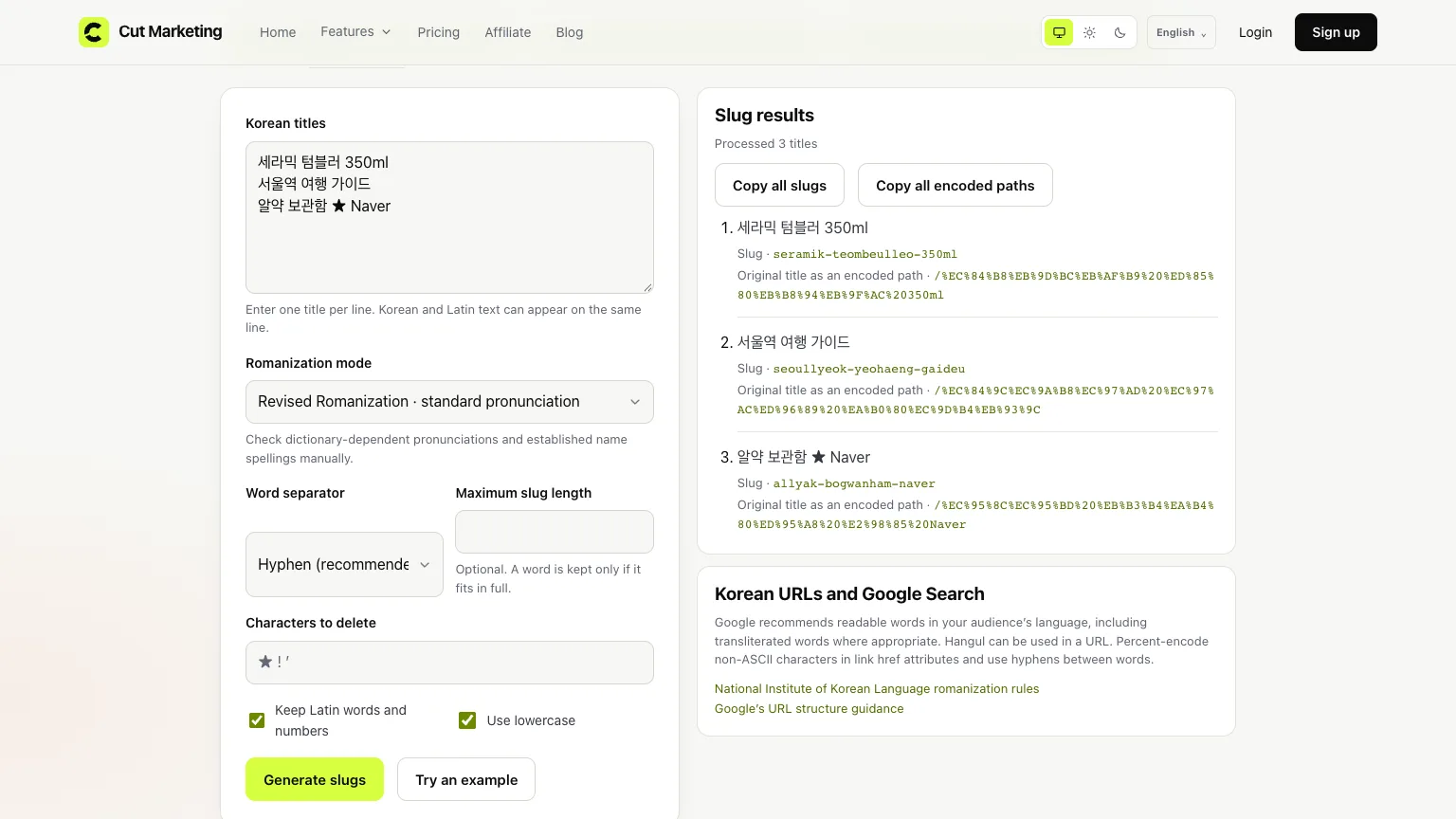
Paste a list of Korean product names or article titles into the free Korean URL slug generator. It converts each line in the browser and puts the encoded original beside the result. You can keep a Latin brand name or model number and stop the slug at a whole word.
Choose a path for the people who read it
A slug is the part of a URL that identifies a page. For a travel mug listing, /teombeulleo-350ml is one option. A Korean-speaking customer can also recognize /텀블러-350ml at a glance.
Google recommends readable words in your audience’s language, including transliterated words where appropriate. It recommends hyphens between words and percent encoding non-ASCII characters in the href of links. The Korean path can be displayed as /텀블러-350ml and linked as /%ED%85%80%EB%B8%94%EB%9F%AC-350ml. Google Search Central’s URL structure guidance
Choose pronunciation or spelling
The pronunciation mode applies the National Institute of Korean Language’s Revised Romanization tables and rules. In 백마, the final consonant is pronounced as a nasal before ㅁ, giving baengma in a lowercase slug. 좋고 gives joko through aspiration. Check compound words whose pronunciation depends on the dictionary, and use the established spelling of proper names when it matters. National Institute of Korean Language romanization rules
The spelling mode preserves the letters you typed. For example, it keeps both final consonants in 값 and writes ~gabs. A tilde marks a Korean group and dots mark syllable boundaries inside it, so the retained Hangul spelling can be reconstructed. The usual slug options still apply to the result.
Use the slug where you control the path
Paste the result into your site’s slug field if the platform offers one. When a marketplace or blog assigns the address, use the URL it gives you in your links. On your own site, check the final URL after publishing. If you change a live path, use a permanent redirect where you control routing. Google Search Central’s redirects guidance