XML Sitemap Guide: Build, Split and Submit (2026)
See how Cut Marketing builds a sitemap index for about 6,800 URLs in 30 languages. Generate your own XML sitemap and submit it to Google, Bing and Naver.
At Cut Marketing, we publish product and tool pages in 30 languages. Our public site lists about 6,800 URLs under a single sitemap index. Each guide carries its own update date, so we can revise a guide independently of the rest of the site. Cut Marketing’s sitemap index
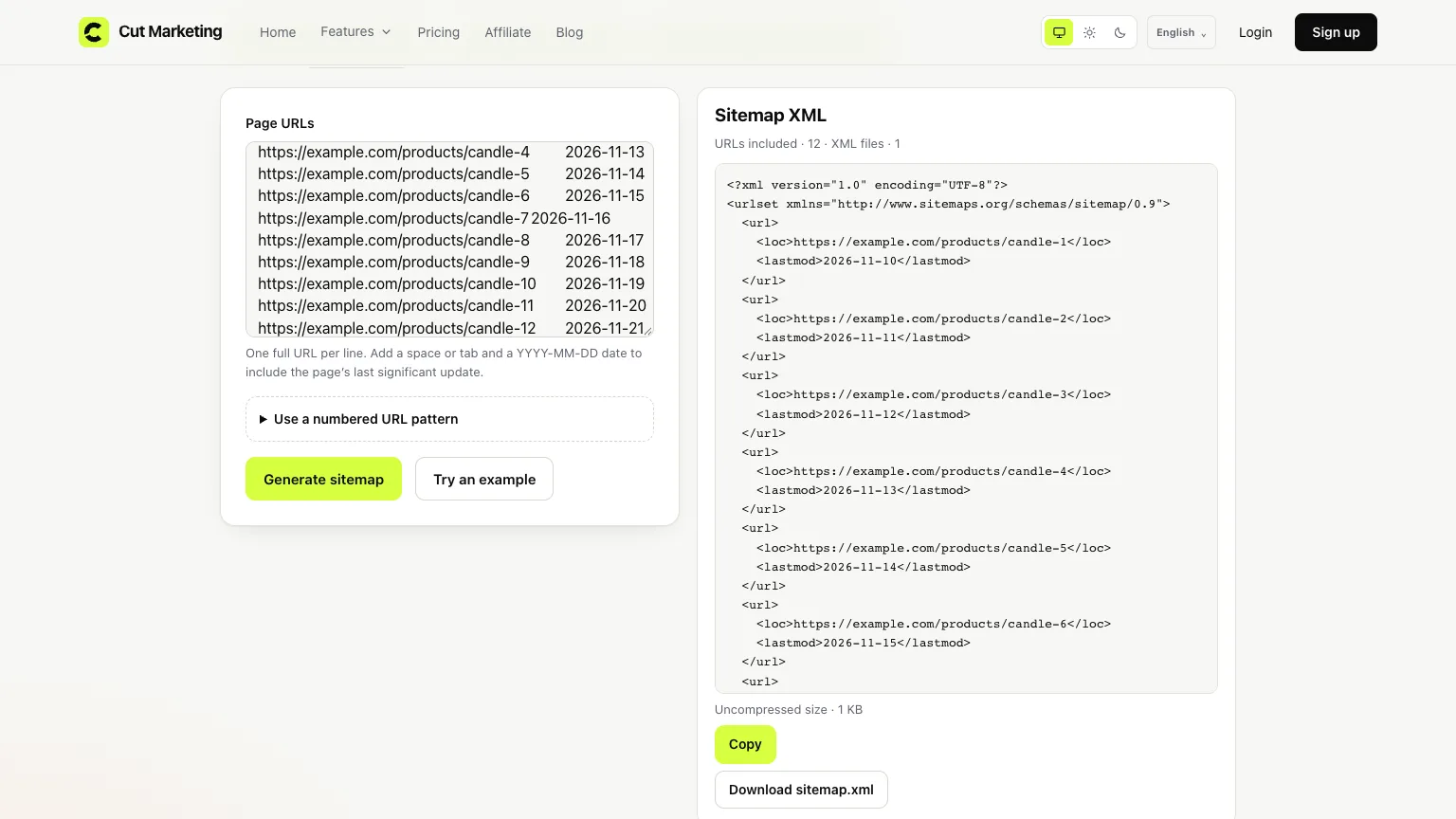
If you have a URL export from your shop or a spreadsheet of landing pages, our free XML sitemap generator can turn it into the same XML format in your browser. You can add dates page by page, see which rows need fixing, and download every file without signing in.
How we build our own sitemap
Astro’s sitemap integration runs when we build the static site. It lists the generated public pages, filters out 404 pages and writes sitemap-index.xml. The index currently points to one file, sitemap-0.xml, which contains the URLs across all 30 languages.
Our build takes each article’s lastmod from its update date, or its publication date if it has never been revised. A blog index gets the most recent article date for that language. We leave the field out on other pages. We use hreflang in the HTML head to connect translated pages.
Make an XML sitemap from your URL list
Start with the canonical addresses you want Google to show. If two addresses serve the same content, include your preferred one. Copy a column of full HTTP or HTTPS URLs into the generator, one per line. Use URLs from a single host and protocol. You can add a second column with a space or tab and a date in YYYY-MM-DD format.
https://example.com/products/ceramic-mug 2026-11-18
https://example.com/ko/products/ceramic-mug 2026-11-20
https://example.com/guides/mug-care
If your URLs use consecutive IDs, put {n} in the URL pattern and enter the first and last numbers. Review the resulting URL list before generating the sitemap.
Each URL goes in a loc element inside a urlset. The protocol requires loc values shorter than 2,048 characters and UTF-8 XML with entity escapes for ampersands, quotes and angle brackets. The generator URL-encodes where needed, escapes the XML and flags dates that fall outside the calendar. It includes lastmod only when there’s a valid date for that URL. Sitemaps protocol
Google says it uses lastmod when the dates are consistently accurate and verifiable. For a product page, a change to its main content, structured data or links generally counts as significant. Google ignores changefreq and priority. Google Search Central
Split it at 50,000 URLs or 50 MB
A sitemap file can contain up to 50,000 URLs and be up to 50 MB uncompressed (52,428,800 bytes). A long query string can push a file over the byte limit before it reaches the URL limit. When either limit would be exceeded, the tool starts another file and puts each part’s full address in a sitemapindex. Sitemaps protocol
Publish and submit the sitemap
Upload every generated file to your site root. Copy the generated Sitemap: line into robots.txt. It will point to sitemap.xml for a single file or sitemap-index.xml for split output.
- Open the Sitemaps report in Google Search Console and submit the URL. The report shows crawl and processing information. Google Search Central
- In Bing Webmaster Tools, select your site, open Sitemaps and use Submit sitemaps. Bing sitemap help
- In Naver Search Advisor, choose your verified site in Webmaster Tools, then go to 요청 → 사이트맵 제출. Naver accepts sitemap indexes and has its own submission limits. Keep each file below 10 MB and under 50,000 URLs for Naver. Naver’s submission menu · Naver’s sitemap formats and limits