Robots Meta Tags for Search and AI Previews
See which robots directives Cut Marketing uses. Set noindex and snippet limits, then check your meta tags and X-Robots-Tag headers together.
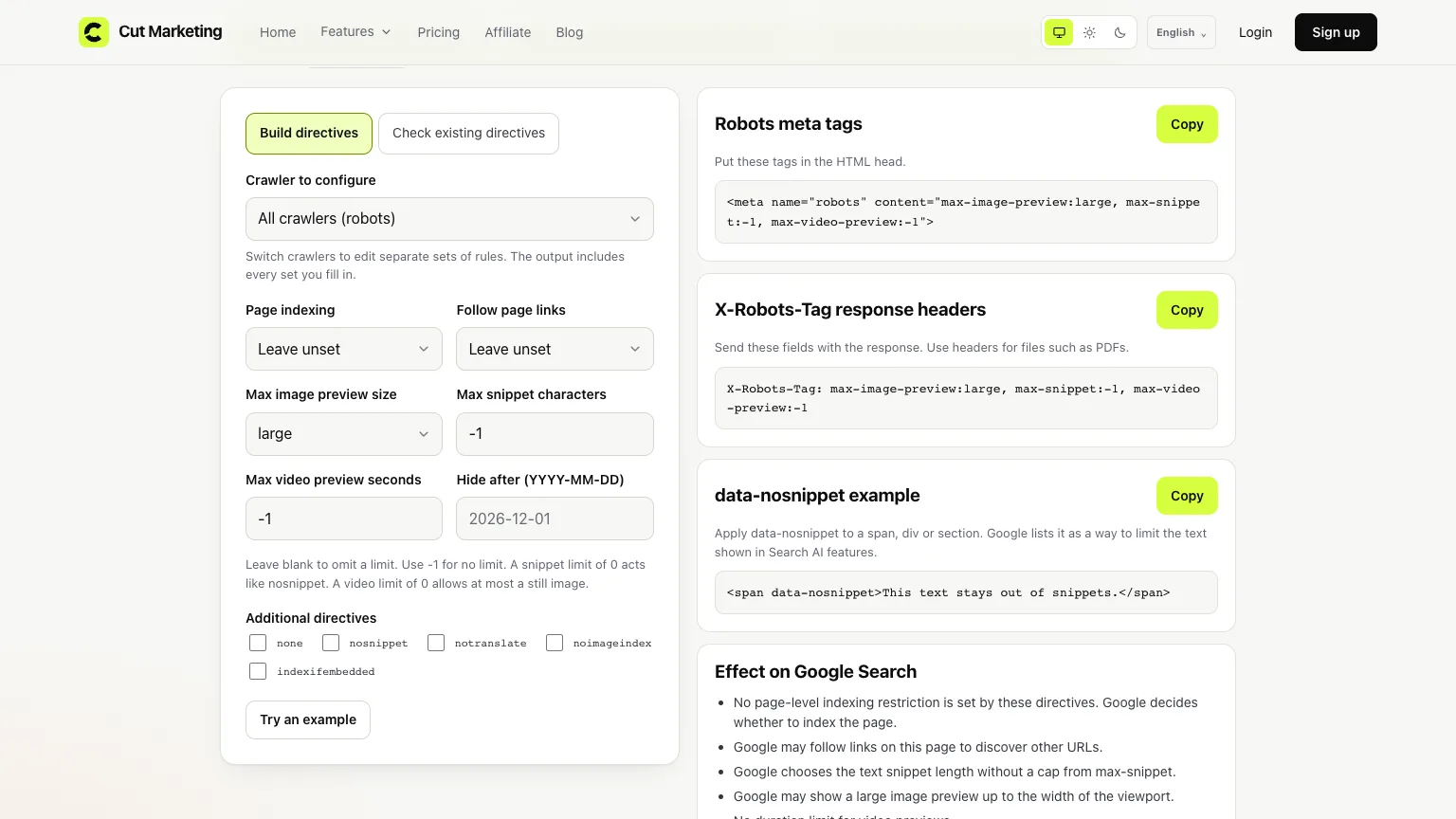
Cut Marketing sets preview rules in one layout for its public pages. We allow large image previews and let Google choose the length of text snippets and video previews. Our 404 layout uses noindex, follow. If your rules live in several templates or alongside headers set by your host, paste them into our free robots meta tag checker to see what applies to the same URL.
Set up robots meta tags and response headers
On an HTML page, use a meta tag named robots with the directives in its content attribute. For a PDF or image, send X-Robots-Tag in the HTTP response. Google accepts comma-separated directives and can combine multiple tags or headers. It applies the stricter rule when they conflict. For example, nosnippet wins over max-snippet:50. Google’s robots meta specification
Our site’s preview settings are max-image-preview:large, max-snippet:-1, max-video-preview:-1. The image setting allows a large preview up to the viewport width. The two -1 values leave the text and video lengths uncapped by these directives. An individual page can specify its own restrictions. For example, use noindex to keep a page out of Google results, or none to combine noindex and nofollow. Use indexifembedded with noindex if Google may index the content when another page embeds it. Google’s robots meta specification
To scope a rule in HTML, use the crawler token as the meta tag’s name. In the header, put the token before the rule. For example, X-Robots-Tag: googlebot: nosnippet targets Googlebot. General restrictions still apply alongside rules for the same crawler. Bing’s own documentation covers noindex, nosnippet and the max-snippet, max-image-preview and max-video-preview settings. Google’s robots meta specification · Bing preview controls · Bing noindex guidance
Control what Google can show in AI Overviews and AI Mode
Google says a page must be indexed and eligible for a snippet to appear as a supporting link in AI Overviews or AI Mode. The following controls affect the content Google can show or use. Google’s AI features guidance
- Use
nosnippetto suppress text and video previews and keep the page content out of the direct input for AI Overviews and AI Mode. A static thumbnail may still appear.max-snippet:0has the same effect. - Set a positive
max-snippetvalue to cap the text snippet’s length and limit how much page text these features can use as direct input. Google describes exceptions for separately permitted uses, including some structured data. - Add
data-nosnippetto aspan,divorsectionaround text you want excluded from snippets. Google lists this attribute among the controls for its Search AI features.
Google’s robots meta specification · Google’s AI features guidance
Check robots.txt before diagnosing noindex
Google discovers noindex and preview settings when it crawls the URL. If a Disallow rule blocks that crawl, Google cannot see the directive in the HTML or response headers. Use the robots.txt generator and checker to review the crawl rule separately. After publishing a change, verify the live page with Search Console’s URL Inspection tool and give Google time to recrawl it. Google’s robots meta specification · Google’s AI features guidance