How to Check Structured Data
Find JSON-LD syntax errors and missing properties in your browser, then review the FAQ markup you can make from the page.
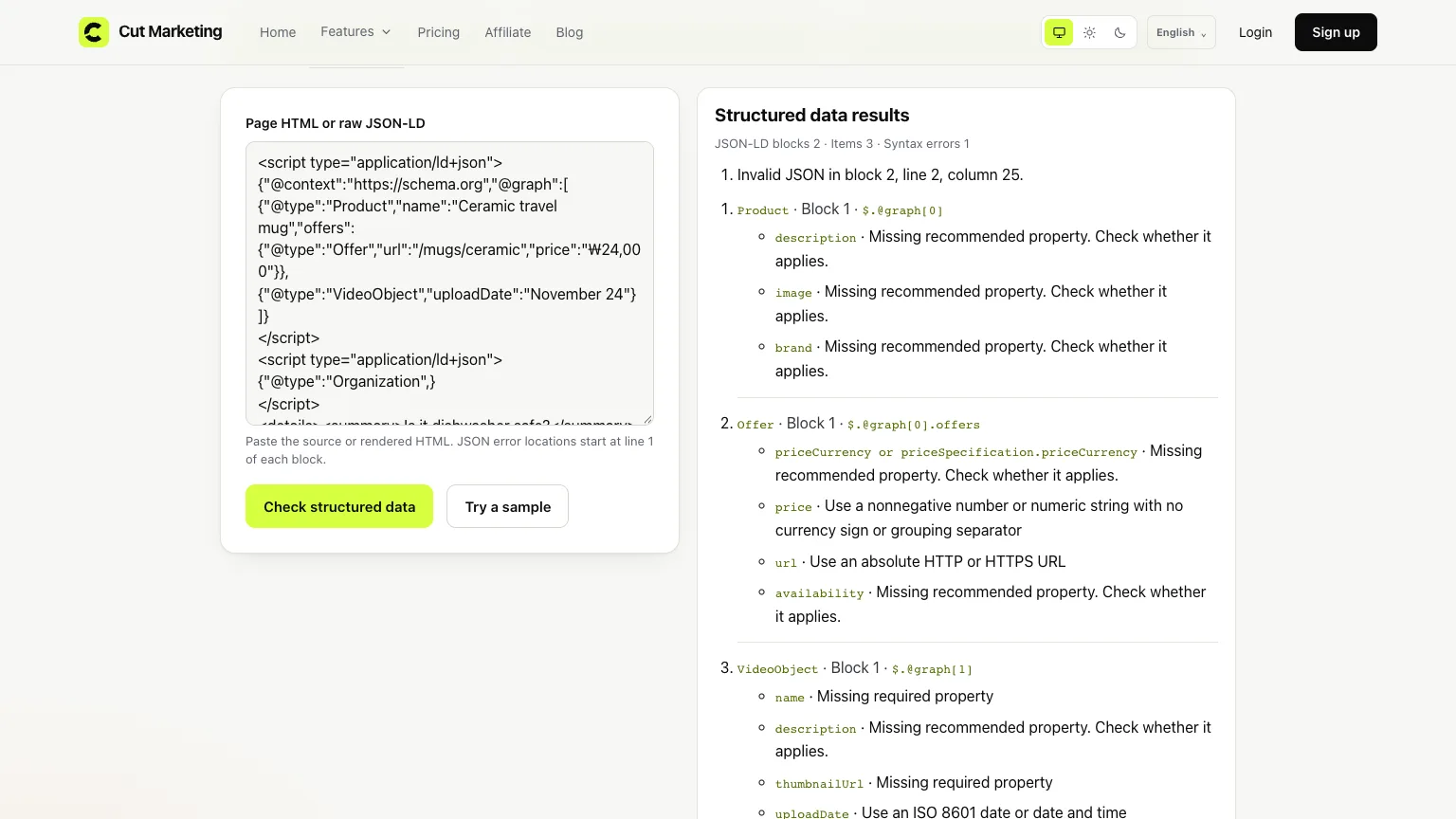
Paste an entire HTML page into Cut Marketing’s structured data checker. It lists the JSON-LD blocks, opens each @graph and shows you where a block fails to parse. The check runs in your browser, so you can use it on a draft page before you have a public URL.
Fix the syntax first
Start with the block number, line and column. Line 1 is the start of that block’s text, so a newline after the opening script tag counts. Fix the syntax and rerun the check before you review the properties. A trailing comma can hide a whole block of otherwise sound markup.
Then look at each item’s path and @type. For a Product with an Offer, look at the nested offer row to find a price with a currency sign or a relative url. Google accepts a JSON number or a numeric string for price. Check the product snippet rules in the Google Search Central product guide.
What we found on Cut Marketing
We ran the checker on local builds of our homepage and internal link guide. Each page had four JSON-LD blocks, all of which parsed. The homepage’s WebSite had its name and URL, and the guide’s BlogPosting and three-item BreadcrumbList passed the checks we run. Both pages also had FAQPage markup. This check covered the pasted markup. For Google eligibility, use the Rich Results Test. For Schema.org vocabulary, use the Schema Markup Validator.
Reuse the FAQ readers can see
The checker looks for expandable questions, definition lists and headings that end in a question mark and have text after them. Read each pair in the draft alongside the actual page. You can copy the FAQPage data or open the pairs in the schema markup generator to edit them.
Google Search stopped showing FAQ rich results on May 7, 2026. It stopped showing How-to rich results on mobile first, then on desktop on September 13, 2023, when it deprecated the feature. Google also says there is no special Schema.org markup for AI Overviews or AI Mode. Structured data describes the page, and it does not guarantee a rich result. Search Central updates · How-to announcement · Google’s AI features guidance