How to Split Coupang and SmartStore Detail Images
Resize and compress long product detail images for Coupang and SmartStore. Check marketplace guidance, keep text readable and download numbered parts.
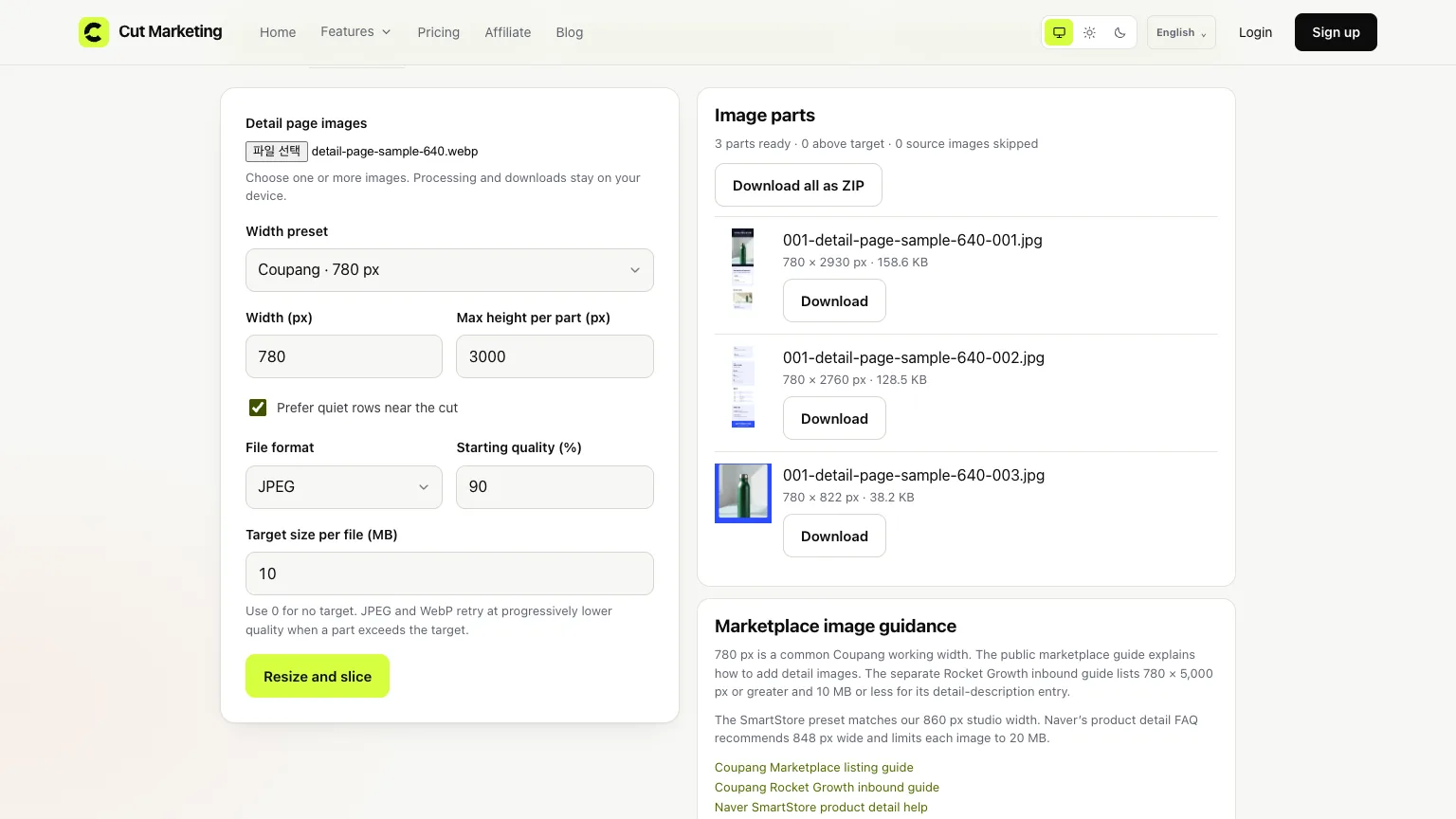
Cut Marketing’s detail page image slicer resizes long images, looks for quiet rows where sections can be split, and puts the numbered files in one ZIP. You can process several source images at once in your browser. If you are still building the page, the AI detail page maker drafts copy from your product facts and lays it out with your photos in editable sections.
Choose a working width before you split
The Coupang preset starts at a common width of 780 px. Coupang’s public marketplace listing guide shows how to enter a detail description using image upload, the editor or HTML. Its Rocket Growth inbound guide separately lists 780 × 5,000 px or greater and 10 MB or less for the detail-description entry. Use the guidance for the program you sell through. Coupang Marketplace listing guide, Rocket Growth inbound guide, page 7
The SmartStore preset starts at 860 px to match the studio. Naver’s product detail FAQ recommends 848 px and gives a limit of 20 MB per image. Set the width to 848 px to follow that recommendation. Naver also says shoppers initially see 3,000 px when the full description exceeds 4,000 px, with the rest available on expansion. The slicer’s 3,000 px default is a setting for each output file. Naver SmartStore product detail help
Check the joins before uploading
Choose the maximum part height and turn on the quiet-row option. It looks close to the height limit for a run of nearly uniform rows. On a page with a blank band between the product features and care instructions, the cut can move up to that band. Review both sides of each cut when the design has text over a full-height photo or a tightly spaced specifications table.
Check each file’s size and readability
Start with JPEG for a photo-heavy page. Use PNG when sharp text or transparency matters, and choose WebP when your upload destination accepts it. With a size target, the slicer tries lower JPEG or WebP quality in steps. It marks any part that still exceeds the target, including lossless PNG files. Shortening the maximum height can reduce file size while keeping the width and type size you designed for.
Download one part to check the result up close, then save the ZIP and add the files in number order. Check your seller editor’s mobile preview for the order of sections and legibility of text.