AI Avatar Ads in Your Own Voice: Clone It From a 10-Second Recording
Make AI presenter ads that speak in your own voice: record 6 to 10 seconds once, pick an AI actor, type the script. How it works, what it costs, our pitch test and the consent rules.
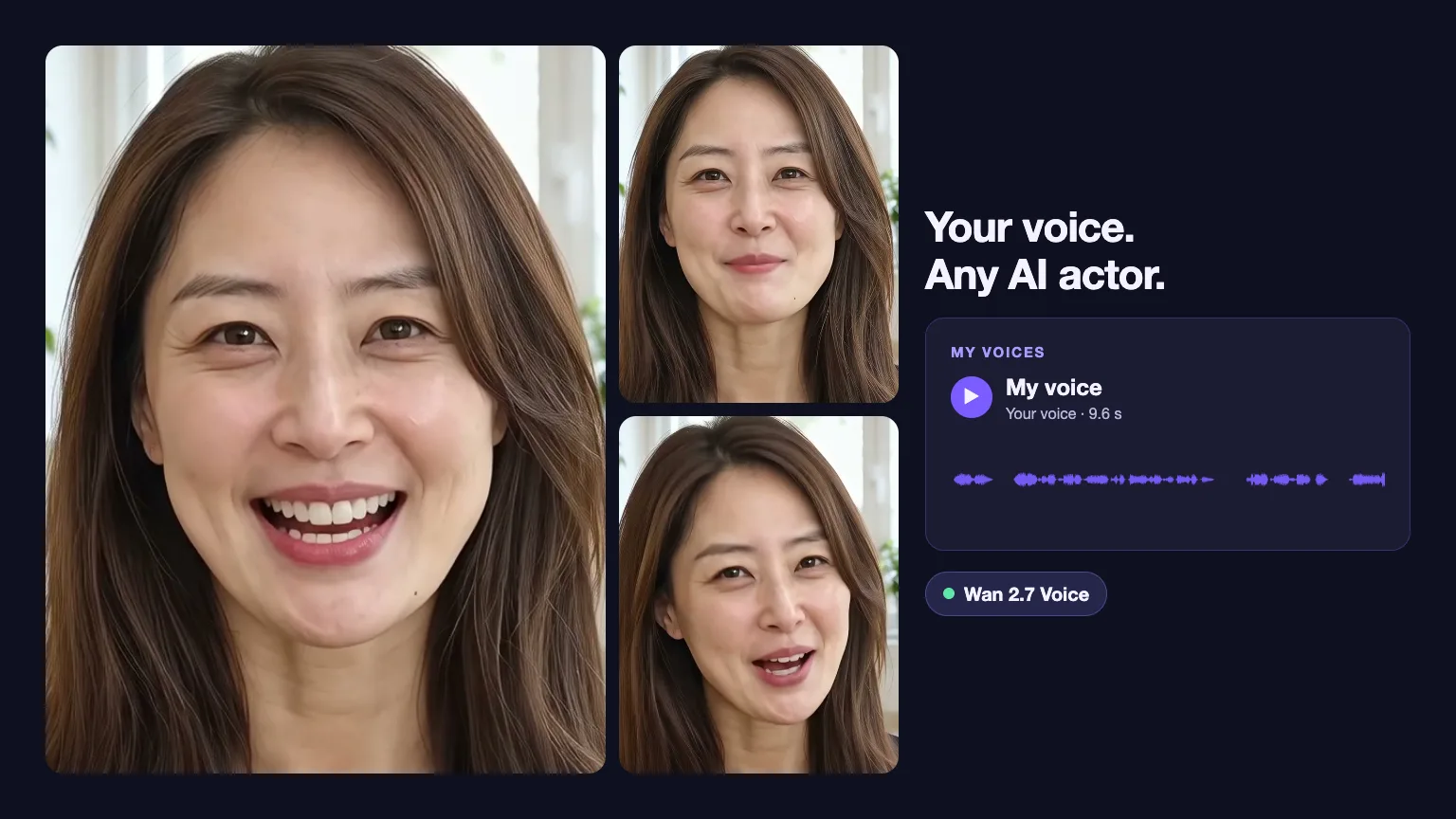
You can now make AI avatar ads that speak in your own voice. Record 6 to 10 seconds once in Cut Marketing, pick any AI actor, type the script, and the actor says it in your voice. The model behind it is Alibaba’s Wan 2.7 reference-to-video, which takes a short voice sample for each character.
In short:
- One recording of 6 to 10 seconds is enough. It is saved privately in your account and works with every actor.
- The actor speaks the script you type. You do not have to record the ad itself.
- A 10-second 720p video costs 140 credits ($1.40). Saving the voice is free.
- You confirm the voice is yours, or that you have the speaker’s written permission, before it is saved.
Try it in Presenter Video or UGC Product Video. The rest of this post covers how it works, what our test measured, and where it still falls short.
How do you make an AI avatar ad in your own voice?
It takes five steps, and the voice part happens only once.
- Open Presenter Video or UGC Product Video in the studio and choose an actor from the AI actor library, or upload a photo of a presenter you have permission to use.
- Write the script the way you would say it. Short sentences with natural pauses come out clearest.
- Under Text to Speech, open the voice picker and press Clone your voice. Read the sentence on screen in a quiet room, or upload an MP3, WAV or M4A of your own voice.
- Tick the consent box, name the voice and save it. The studio switches to the Wan 2.7 Voice model, which is the one that speaks in a saved voice.
- Choose the ratio (9:16, 16:9 or 1:1), the resolution and the length (5, 10 or 15 seconds), check the total on the button and generate.
Next time, the voice is already in My voices at the top of the picker. Pick it, change the actor or the script, and generate again.
What happens to the recording?
The browser does the clean-up before anything is sent. It mixes the take to mono, trims the silence at both ends, raises a quiet take to a normal level and converts it to a 24 kHz WAV. Takes are cut at 9.8 seconds because the model accepts at most 10.
When you save, the server checks the WAV header for a length of 3 to 10 seconds and stores the file privately in your account, together with the consent statement, the time and the IP address. When you make a video in that voice, the recording is sent to the video model with the actor’s photo and nowhere else. Deleting the voice removes the recording and its consent record at once; videos you already made keep their sound. The details are in the privacy policy.
Does it really sound like you? Our pitch test
We tested before shipping, on 17 November 2026. We gave the models a deliberately hard case: a photo of a fictional woman in her 40s and a deep male voice sample (median pitch about 98 Hz). Each model had to say the same Korean script: “이 세럼 하나로 아침 피부가 달라졌어요. 지금 바로 써보세요.” We measured the median pitch of the speech in each result and transcribed it with Whisper.
| Model and setup | Median pitch of the speech | Script spoken as written |
|---|---|---|
| The voice sample | about 98 Hz | (different sentence) |
| Seedance 2.5, audio reference, English prompt | about 229 Hz | Yes |
| Seedance 2.5, audio reference, Chinese prompt | about 211 Hz | Yes |
Wan 2.7 reference-to-video with reference_voice |
about 105 Hz | Yes |
Seedance 2.5 accepted the audio but spoke in a voice that fit the woman’s face. Wan 2.7 kept the sample’s low voice on the same face and spoke every word of the script. That is why your own voice runs on Wan 2.7 Voice. Seedance 2.5 stays the default for presenter videos without a saved voice.
Pitch is only one part of a voice. Timbre, accent and pace also carry over, but no automatic score measures how much someone “sounds like you”. Listen to the first result before you make ten.
What does it cost?
Wan 2.7 Voice is priced like every model on Cut Marketing: at twice our cost from the provider, with 1 credit at $0.01.
| Length | 720p (14 credits/s) | 1080p (22 credits/s) |
|---|---|---|
| 5 seconds | 70 credits ($0.70) | 110 credits ($1.10) |
| 10 seconds | 140 credits ($1.40) | 220 credits ($2.20) |
| 15 seconds | 210 credits ($2.10) | 330 credits ($3.30) |
Recording and saving a voice is free, and you can keep up to 20 voices. Videos above 720p need a paid plan; see pricing.
How do you get a recording that clones well?
- Record in a quiet room. Fans, music and echo get copied too. A closet full of clothes beats a bare office.
- Hold the phone or mic 15 to 30 cm away, and speak to it rather than past it.
- Speak in the tone the ad needs. The model copies the delivery as well as the voice, so a flat reading gives a flat ad.
- Record in the script’s language. We tested Korean sample to Korean script. Another language may keep the voice less well.
- Use 6 seconds or more. Three seconds are accepted, but longer takes hold the voice more faithfully.
What are the limits?
- One voice per video. Each video has one presenter and one saved voice.
- Words and lip sync are close, not guaranteed. Our test spoke the script exactly, but a model can still drop or change a word. Check every result, and put the key line in Auto Captions too.
- The sample can be 10 seconds at most. Longer recordings are trimmed.
- One model speaks in a saved voice. Other models keep using a library voice as a direction for their own speech.
- An AI presenter is still AI. Your real voice does not make the presenter a real customer.
How does this compare with HeyGen, Arcads, MakeUGC, Synthesia and others? See AI UGC video tools with voice cloning compared.
What rules apply to cloned voices in ads?
Clone only your own voice, or a voice whose owner gave you written permission to clone it for ads. Our acceptable use policy forbids imitating a celebrity or anyone else, and the consent you give is stored with each voice.
The presenter on screen is AI-generated, so the platforms’ AI rules apply. TikTok asks for a label on fully AI-generated content. YouTube asks for disclosure of realistic synthetic content. Since 1 June 2026, Korea’s KFTC has required ads in which a virtual person recommends a product to say that the person is virtual. Never let an AI presenter claim they used the product. The full rundown is in AI-generated ad disclosure rules in 2026.
FAQ
Can an AI avatar speak in my own voice?
Yes. In Cut Marketing’s Presenter Video or UGC Product Video, open the voice picker, choose Clone your voice and record 6 to 10 seconds of your own voice. Pick an AI actor, type the script and generate with the Wan 2.7 Voice model: the actor speaks your script in your voice. You record once and reuse the voice with every actor.
How long does the voice recording need to be?
Between 3 and 10 seconds of speech, and 6 to 10 seconds works best. The model behind it, Alibaba’s Wan 2.7 reference-to-video, accepts a voice sample of at most 10 seconds; in our test a 10.008-second sample was refused. The studio trims silence and cuts the take to 9.8 seconds, so you can simply read the sentence shown on screen.
How much does an AI avatar ad in my own voice cost?
Wan 2.7 Voice costs 14 credits a second at 720p and 22 credits a second at 1080p, and one credit is $0.01. A 10-second 720p presenter video is 140 credits ($1.40); a 15-second 1080p video is 330 credits ($3.30). Saving a voice is free, and the studio shows the exact total before you generate.
Can I clone someone else’s voice?
Only with that person’s written permission to clone it for ads. Before a voice is saved you confirm that it is your own voice or that you have the speaker’s written permission, and we keep that consent with the voice. Imitating a celebrity or anyone else is against the acceptable use policy.
Do AI presenter ads in my own voice need an AI label?
Usually yes, because the person on screen is AI-generated. TikTok asks for a label on fully AI-generated content, YouTube for realistic synthetic content, and since June 2026 Korea’s KFTC requires ads with a virtual person endorser to say the person is virtual. A real voice does not change that the presenter is AI.
Why not just use Seedance 2.5 with an audio reference?
We tested it on 17 November 2026. With a female actor and a deep male voice sample, Seedance 2.5 spoke the script with a voice that fit the face (median pitch about 229 Hz and 211 Hz in two prompts), not the sample (about 98 Hz). Wan 2.7 reference-to-video spoke the same script at about 105 Hz, close to the sample, so voice cloning runs on Wan 2.7 Voice.
Make your first one
Record your voice once in Presenter Video, cast an actor and generate a 5-second test for 70 credits. If it sounds like you, make the variations: other actors, other hooks, the same voice. Then add captions and your call to action in Finish the Ad.